In today's interconnected world, digital identity is everything. But with a constant barrage of phishing attempts, data breaches, and sophisticated cyberattacks, relying solely on static passwords is like defending a fortress with a single, rusty lock. This is where the crucial distinction between OTP vs. MFA: How One-Time Passwords Fit into Broader Security becomes not just technical jargon, but a lifeline for your digital safety.
You've likely encountered a One-Time Password (OTP) without even realizing it. That six-digit code texted to your phone for a bank transaction, or the constantly refreshing number on an authenticator app – those are OTPs in action. They're a fundamental component of modern authentication, offering a powerful, dynamic defense against many common threats.
At a Glance: Your Quick Guide to One-Time Passwords
- What it is: A unique, temporary code for a single login or transaction.
- Why it's crucial: Eliminates vulnerabilities of static passwords; codes expire, can't be reused.
- How it works: Generated by secure algorithms, often time- or event-based.
- Key types: TOTP (time-based via apps), HOTP (event-based via hardware), SMS/Email (convenient but less secure), Passkeys/WebAuthn (the secure future).
- Benefits: Dramatically enhances security, aids compliance, improves user experience, cost-effective.
- Its role in MFA: OTPs are a type of factor used in Multi-Factor Authentication (MFA), specifically "something you have."
- Best practice: Prioritize authenticator apps and WebAuthn over SMS for higher security.
- Future: A critical stepping stone towards passwordless authentication.
The Problem with Passwords: A Story We All Know
Think about your typical password. It's static, meaning it stays the same until you change it (or are forced to after a breach). It's vulnerable to:
- Brute-force attacks: Attackers trying endless combinations.
- Credential stuffing: Using leaked username/password pairs from one site to access another.
- Phishing: Tricking you into revealing your password on a fake site.
- Replay attacks: Capturing and reusing your login credentials.
Even the strongest, most complex password can be compromised. This inherent fragility is why digital security experts have spent decades developing more resilient authentication methods. And that's where the ingenious simplicity of a One-Time Password steps in.
Unpacking the OTP: What Makes a One-Time Password So Powerful?
At its core, a One-Time Password is exactly what it sounds like: a password designed to be used just once. Unlike your primary, static password, which acts as a persistent key, an OTP is a single-use token, like a temporary security pass that self-destructs after entry.
This temporary nature is its superpower. An OTP is:
- Unique: Every code is different, generated on the fly.
- Short-lived: Valid only for a brief window, typically 30-120 seconds.
- Time-bound/Event-bound: Either expires after a set time or after a specific action.
- Non-reusable: Once used or expired, it's useless to an attacker.
Imagine an attacker manages to steal your primary password. With an OTP enabled, they still can't get in. Why? Because they'd also need the real-time OTP, which is sent exclusively to your trusted device or generated by your secure app. This "second factor" provides real-time proof of your identity, creating a formidable barrier against unauthorized access to sensitive accounts, financial data, and corporate resources.
Behind the scenes, the magic of OTP generation relies on sophisticated cryptographic algorithms, ensuring randomness and security: - HMAC-SHA1 Algorithm (RFC 4226): This is the engine behind HOTP (HMAC-based One-Time Password). It combines a secret key (shared between you and the service) with a moving counter. Each time you request a new code, the counter increments, producing a new, unique OTP.
- TOTP Algorithm (RFC 6238): The workhorse for Time-based One-Time Passwords. Similar to HOTP, but instead of a counter, it uses the current timestamp. Both your device and the service calculate the code based on the shared secret and synchronized time, ensuring they match.
- Cryptographic Random Generators: For SMS or email OTPs, a secure server-side random number generator creates the unique code, which is then delivered to your registered contact method.
OTP vs. MFA: How One-Time Passwords Fit into Broader Security
This is where clarity is essential. OTPs are often discussed interchangeably with Multi-Factor Authentication (MFA), but they're not the same thing. Think of it this way:
- Multi-Factor Authentication (MFA) is the overarching security strategy. It's the requirement that you prove your identity using two or more different types of authentication factors. These factors generally fall into three categories:
- Something you know: (e.g., a password, PIN, security question).
- Something you have: (e.g., your phone, a hardware token, an authenticator app).
- Something you are: (e.g., a fingerprint, facial scan, voice print).
- One-Time Passwords (OTPs) are a type of "something you have" factor. They are one of the most common and effective methods used to implement MFA.
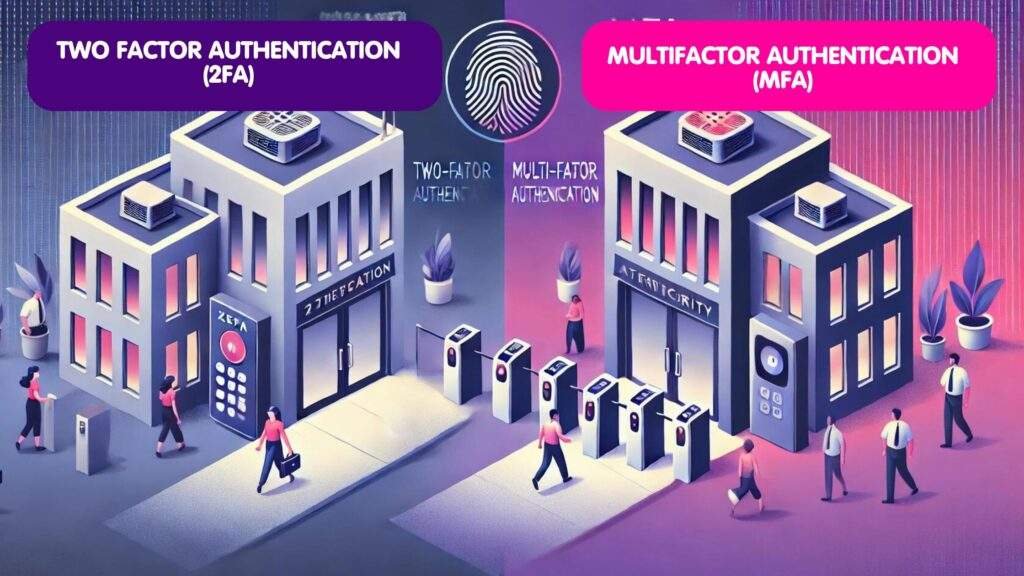
So, when you hear "2FA" (Two-Factor Authentication), it's essentially a specific form of MFA that uses exactly two factors. An OTP often serves as the second factor in a 2FA setup (e.g., your password + an OTP from your phone). While 2FA is a subset of MFA, the terms are frequently used synonymously in common parlance. The takeaway: OTPs are a foundational, indispensable building block within the broader MFA framework, significantly strengthening your overall security posture.
Navigating the Landscape: Types of One-Time Passwords and Their Delivery
Not all OTPs are created equal, especially when it comes to their underlying security and convenience. Understanding the different types helps you make informed choices about your digital defenses.
Time-Based One-Time Passwords (TOTP)
This is the most common OTP you'll encounter through authenticator apps. TOTP codes are generated based on a shared secret key and the current time, usually refreshing every 30 or 60 seconds.
- How they work: Your authenticator app and the service you're logging into both know a secret key. They use this key, combined with the synchronized current time, to generate the same code. Since time constantly changes, so does the code.
- Ideal for: Real-time access to SaaS platforms, cloud dashboards, social media, and banking.
- Examples: Google Authenticator, Authy, Microsoft Authenticator.
- Security: High. They work offline once set up and are resistant to network interception (unlike SMS).
- Convenience: Very high, especially with features like biometric unlock within apps.
HMAC-Based One-Time Passwords (HOTP)
Less common for everyday users, HOTP is event-based. A new code is generated each time a specific action (like pressing a button on a hardware token) triggers an incrementing counter.
- How they work: Similar to TOTP, but instead of time, a counter drives the code generation. Each successful login or code request increments the counter on both your device and the service.
- Ideal for: Offline environments or highly specialized hardware tokens.
- Examples: Some older RSA SecurID tokens.
- Security: Very high, especially with dedicated hardware.
- Convenience: Lower than TOTP apps; requires physical interaction.
SMS and Email OTPs: Convenience with Caveats
These are perhaps the most widespread OTP delivery methods due to their sheer convenience and ubiquity. The code is sent directly to your registered phone number or email address.
- How they work: When you initiate a login or transaction, the service generates a random OTP and sends it via SMS to your phone or via email to your inbox.
- User-friendly: Yes, almost everyone has a phone and email.
- Widely used: Common in e-commerce, banking, and general account verification.
- Vulnerabilities: This is where the "convenience vs. security" trade-off comes in.
- SMS OTPs: Susceptible to SIM-swapping attacks (where an attacker convinces your carrier to transfer your phone number to their SIM card), social engineering, and network-level interception.
- Email OTPs: Vulnerable if your email inbox is compromised. If an attacker gains access to your email, they can intercept your OTPs.
- Recommendation: While convenient, due to these vulnerabilities, SMS and email OTPs should be considered a fallback method, not your primary security layer for high-value accounts.
Hardware Tokens: The Gold Standard for Specific Needs
Physical devices designed solely to generate OTPs, often without requiring internet or software support.
- How they work: These tokens typically store a secret key and use either the TOTP or HOTP algorithm. You press a button, and it displays a unique code.
- Known for: Extreme reliability and security, particularly in highly regulated industries.
- Examples: YubiKey (can function as a hardware OTP generator, among other features) and dedicated RSA SecurID tokens.
- Security: Extremely high. Resistant to phishing and malware.
- Convenience: Can be less convenient than apps; requires carrying a physical device.
Authenticator Apps: Balancing Security and User Experience
These mobile applications generate TOTP codes offline after a simple initial setup, usually by scanning a QR code or entering a secret key.
- How they work: They store the shared secret on your device, generating codes locally based on time.
- Advantages: Balance security (offline operation, biometric integration) with convenience (always on your phone). Many also support end-to-end encrypted push notifications for even smoother authentication.
- Security: High, significantly more secure than SMS/email OTPs.
- Convenience: High, generally considered the sweet spot for most users.
WebAuthn/Passkeys: The Future is Here
Representing the cutting edge of authentication, WebAuthn and passkeys are built directly into modern browsers and operating systems. They leverage platform security features like TouchID, FaceID, or Windows Hello.
- How they work: They use public key cryptography for a robust, phishing-resistant authentication process. Instead of a shared secret, your device generates a unique key pair. The public key is registered with the service, while the private key remains securely on your device, unlocked by a biometric or PIN.
- Ideal for: Strong phishing resistance and a streamlined, passwordless user experience.
- Security: Extremely high, considered phishing-resistant.
- Convenience: Very high, often just a single tap or scan.
Token-Based Authentication Systems (OAuth/JWT)
While not OTPs themselves, systems like OAuth or JSON Web Tokens (JWT) often incorporate OTP flows as part of a broader identity verification process. These frameworks define how different services can securely exchange information about a user's identity, and an OTP might be a step in verifying that identity.
Why You Need OTPs: Core Benefits That Bolster Your Defenses
Incorporating One-Time Passwords into your security strategy isn't just a good idea; it's practically non-negotiable in the current threat landscape. Here's why:
- Enhanced Security: The Critical Second Layer
OTPs provide a powerful second layer of defense. Even if your static password is stolen through a data breach or guessed in a brute-force attack, an attacker still cannot gain access without the real-time, temporary OTP. This mitigates risks from a wide array of cyber threats, including replay attacks, phishing (especially with stronger OTP methods like TOTP or WebAuthn), and credential stuffing. It's the digital equivalent of adding a deadbolt to your front door after someone has picked your main lock. - Compliance with Regulatory Standards
For organizations, OTPs are crucial for meeting stringent regulatory requirements. Laws and standards like GDPR (General Data Protection Regulation), HIPAA (Health Insurance Portability and Accountability Act), and PSD2 (Revised Payment Services Directive) often mandate strong customer authentication. OTPs help satisfy these demands, proving a robust commitment to data protection and user privacy. They also support the principles of a Zero Trust architecture, where no user or device is inherently trusted, and continuous verification is required. - Improved User Experience and Reduced Password Fatigue
While some might initially balk at an extra step, modern OTP implementations actually improve the user experience. Authenticator apps, biometrics, and especially passkeys simplify login. Users don't need to remember complex, unique passwords for every site, reducing "password fatigue." Instead, they rely on a combination of something they know (their main password or PIN for their device) and something they have (their phone generating an OTP or confirming a passkey login). - Cost-Effectiveness and Scalability
Compared to complex, dedicated hardware-based authentication solutions, many OTP methods leverage existing user devices (like smartphones). This significantly reduces deployment and maintenance costs for businesses. Solutions like authenticator apps are free to use for end-users and relatively easy for IT departments to integrate and scale across an organization of any size.
Real-World Impact: Industries Leveraging OTPs
The versatility and effectiveness of OTPs mean they're adopted across almost every sector that handles sensitive data or critical transactions.
- Banking and Financial Services: OTPs are indispensable here. They secure everything from online banking logins and password recovery to approving high-value transactions and preventing fraudulent transfers. Imagine making an online payment; that SMS or app-generated code is your bank's way of verifying it's really you.
- Healthcare and Medical Portals: Protecting patient records (ePHI) is paramount. OTPs safeguard access to electronic health records, online appointment bookings, and telehealth services, ensuring only authorized individuals can view or manage sensitive health information.
- Retail and E-Commerce: From customer sign-ups to checkout authentication, OTPs minimize cart abandonment due to security fears and drastically reduce fraud, protecting both consumers and retailers.
- Enterprise Security: OTPs are vital for securing remote access to corporate networks (VPNs), cloud-based applications, and privileged accounts (e.g., administrator logins). They ensure that even if an employee's laptop is stolen, company data remains protected.
- Government and Citizen Services: Tax portals, social security accounts, and other government services increasingly rely on OTPs to verify citizen identity, protecting against identity theft and ensuring the integrity of public services.
Fortifying Your Defenses: OTP Implementation Best Practices
While OTPs are powerful, their effectiveness hinges on how they're implemented and used. Here's a journalist's take on securing your OTP strategy:
1. Code Generation: Strong Foundations
- Minimum 6 Digits (8 Recommended): For most use cases, a 6-digit OTP offers sufficient entropy. However, for high-security environments, an 8-digit code significantly increases the number of possible combinations, making brute-force attacks exponentially harder.
- Cryptographic Randomness: The codes must be generated using cryptographically secure random number generators (for SMS/email OTPs) or robust algorithms like TOTP/HOTP. Avoid predictable patterns.
- Appropriate Validity Periods: OTPs should have a short lifespan. Typically, 30-60 seconds for TOTP apps and 60-120 seconds for SMS/email OTPs (allowing for potential network delays). The quicker they expire, the less window an attacker has.
- Rate Limiting: Implement strict limits on how many OTPs can be generated or validated within a specific timeframe. This prevents attackers from flooding users with codes or trying endless guesses. For example, three incorrect attempts should trigger a temporary lockout.
2. Delivery Method Security: Choose Your Channels Wisely
- End-to-End Encryption: For SMS, email, or push notifications, ensure the delivery channel is as secure as possible, ideally with end-to-end encryption.
- Support Multiple Channels (Strategically): Offer choices (authenticator app, SMS, email) but guide users towards the most secure options.
- Secure Channel Verification: When a user sets up or changes their OTP delivery method, robustly verify their identity first to prevent attackers from rerouting codes.
- Prioritize Stronger Methods: As highlighted earlier, authenticator apps and WebAuthn/passkeys should be your primary recommendation. SMS and email OTPs, while convenient, are vulnerable to specific attacks (SIM-swapping, inbox compromise) and should be used as secondary or fallback options, always with additional security controls.
3. Enterprise Deployment: Scaling for Success
- High Availability and Load Balancing: For critical enterprise systems, OTP services must be highly available. Deploy redundant, load-balanced servers across geographic regions to ensure continuous operation, even during outages.
- Real-time Monitoring and Automated Failover: Keep a close eye on OTP service performance and security. Implement automated failover mechanisms to switch to backup systems seamlessly if a primary server or service fails.
- Integration with Identity Providers: Seamlessly integrate OTP solutions with existing Identity Providers (IdPs) like Active Directory, Azure AD, or AWS IAM. This streamlines user management and ensures a consistent authentication experience.
- API Gateway Security: If OTPs are delivered via APIs, protect these gateways with robust security measures, including rate limiting, input validation, and authorization checks.
- Comprehensive Audit Logging: Log every OTP generation, delivery, and validation attempt. This is crucial for forensic analysis, compliance audits, and detecting suspicious activity.
4. Layer Authentication Methods: Don't Put All Your Eggs in One Basket
A truly robust security strategy doesn't rely on a single solution.
- Authenticator Apps as Primary: Encourage and enable users to make authenticator apps their first choice.
- WebAuthn/Passkeys Where Supported: Promote the use of passkeys wherever they are available, as they offer the highest level of phishing resistance and convenience.
- SMS as a Fallback (with Controls): If SMS is used as a fallback, ensure it's coupled with additional security controls, such as device registration, geo-location checks, or transaction risk scoring.
- Consider Biometrics: For in-app OTP generation, enable biometric protection (fingerprint, face ID) to unlock the authenticator app itself.
5. Plan for Evolution: Stay Ahead of the Curve
The cybersecurity landscape is constantly evolving.
- Embrace Emerging Standards: Design your authentication systems to be flexible and accommodate new standards like passkeys and other phishing-resistant MFA technologies.
- Educate Users: Regularly educate users on the importance of OTPs, how to use them securely, and the dangers of sharing codes.
Need to generate a quick OTP prompt for testing or development? You might find it helpful to Explore our OTP prompt generator for immediate solutions.
Addressing Common Misconceptions & Pitfalls
Even with OTPs, misunderstandings can undermine your security. Let's clear up a few:
"OTPs are 100% foolproof and guarantee total security."
Reality: While OTPs significantly enhance security compared to static passwords alone, no system is entirely foolproof. Less secure methods like SMS OTPs are vulnerable to SIM-swapping or social engineering. Even with authenticator apps, if your device is compromised with malware that can intercept app data, security can be breached. The goal is to make it incredibly difficult for attackers, not impossible.
"All OTPs are created equal."
Reality: Definitely not. There's a spectrum of security. SMS OTPs are generally considered the weakest due to carrier-level vulnerabilities. Email OTPs depend on the security of your email provider. Authenticator apps (TOTP) are much stronger, as they work offline. Passkeys and hardware tokens are currently the most robust and phishing-resistant. Always opt for the strongest method available.
"It's okay to share my OTP if someone I trust asks for it."
Reality: Never, ever share your OTP with anyone. Not your bank, not your IT department, not your family. A legitimate service will never ask you for your OTP over the phone, email, or chat. If someone asks, it's a scam. Your OTP is the final barrier to your account; sharing it is handing over the keys to your digital kingdom.
"My phone is protected with a PIN, so my SMS OTPs are safe."
Reality: While a PIN protects your phone itself, it doesn't protect against SIM-swapping, which exploits vulnerabilities at the carrier level, not on your device. It also doesn't prevent network-level interception of SMS messages in some sophisticated attacks.
"I don't need MFA for non-sensitive accounts."
Reality: It's a risk. Even "non-sensitive" accounts (like social media) can be used as stepping stones for attackers to gain trust, spread malware, or find information to attack more sensitive accounts. Best practice is to enable MFA (using the strongest OTP method available) on every account that offers it.
Looking Ahead: The Future of Passwordless Authentication
OTPs, particularly the robust forms like TOTP and WebAuthn, are not just a temporary fix but a crucial bridge to a more secure and convenient future: passwordless authentication.
Passkeys, built on the WebAuthn standard, are leading this charge. They aim to eliminate the static password entirely, replacing it with a combination of public-key cryptography and device-level biometrics or PINs. With passkeys, you log in by simply confirming your identity on your device (e.g., Face ID on your phone, fingerprint on your laptop), with no passwords to remember or OTPs to manually enter. This represents the pinnacle of both security (highly phishing-resistant) and user experience (one-tap login).
While passkeys gain wider adoption, OTPs remain a vital and highly effective component of your digital security toolbox, safeguarding countless transactions and logins daily.
Securing Your Digital Life: A Proactive Approach
The distinction between OTP and MFA is more than just technical; it's about understanding how powerful, temporary codes fit into your comprehensive digital defense strategy. By embracing One-Time Passwords, especially through secure methods like authenticator apps and the emerging power of passkeys, you're not just adding a layer of security; you're fundamentally changing the game against cyber threats.
Be proactive. Enable MFA wherever you can, prioritize authenticator apps or passkeys, never share your OTP, and stay informed about the evolving landscape of digital security. Your digital life depends on it.